GUIDE / DATA QUESTIONS
Test school software data export and control
School software data export and governance questions should cover ownership, controller and processor roles, collection purpose, hosting, subcontractors, access controls, audit records, retention, export, deletion and incident handling. Schools should ask for written evidence and map each answer to the exact service being evaluated. Easy Edu has not yet supplied these operational details, so this page is a due-diligence guide.
Reviewed draft · 14 September 2026
KEY TAKEAWAYS
What should the reader carry into the decision?
- Map collection, transfer, storage, access, sharing, backup, export and deletion for each information type.
- Name the school, vendor and subcontractors against each processing purpose and decision authority.
- Test a non-sensitive sample export for fields, identifiers, attachments, timestamps and usable format.
- Ask what happens to active data, backups and logs after exit and how deletion is evidenced.
“Retain full control over your data with tools that help you manage how, when, and where data can be accessed.”
Google for Education
Method and scope. This due-diligence checklist was reviewed against official Google privacy material and Malaysia's Personal Data Protection Department guidance. It makes no claim about Easy Edu's unverified hosting, controls or operating arrangements.
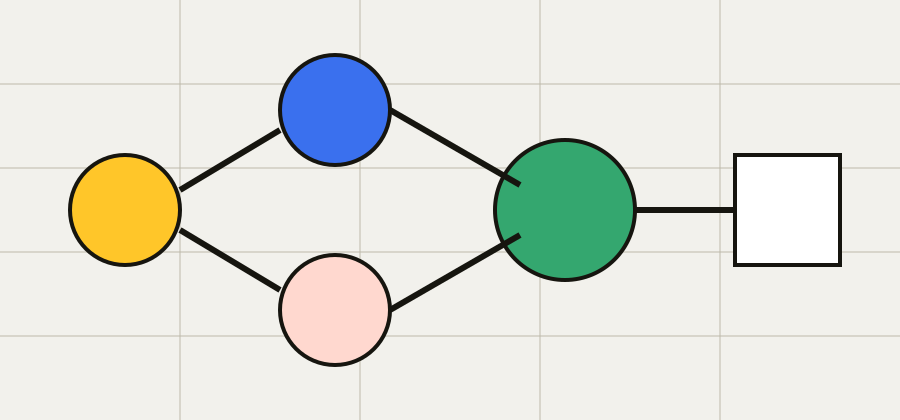
How should a school draw the complete data flow?
List each kind of information, where it originates, how it enters the service, where it is stored, which other systems receive it and who can access it. Include support, backups and analytics. A simple diagram often reveals transfers and responsibilities that a feature demonstration misses. Ask the vendor to confirm the diagram in writing and date the version reviewed.
Use one diagram with columns for collection, transfer, storage, use, sharing, archive and deletion. Name the data types and system at each stage. Include backups, analytics and support access, because these paths may exist outside the interface a school sees in a demonstration.
Malaysia's Personal Data Protection Department sets out 7 personal-data-protection principles under section 5(1) of Act 709. Source: Malaysia Personal Data Protection Department →
- 01Source
- 02Transfer
- 03Storage
- 04Access
Who controls and processes each school-data activity?
Ask the school and vendor to state their roles for each processing activity and identify subcontractors. Clarify who answers access, correction and deletion requests. A company value about privacy is a useful direction, but it is not a control or legal document. The evaluation needs current terms, notices and operating procedures tied to the service under review.
Record the school, vendor and each subcontractor against the processing purpose and decision authority. Malaysia's Personal Data Protection Department explains controller and processor concepts, but the exact legal role depends on the arrangement. Request current contracts and obtain appropriate advice for the school.
The department's public FAQ lists 6 rights for data subjects. Source: Malaysia Personal Data Protection Department FAQ →
How should access and auditability be tested?
Ask how users are authenticated, how administrator privileges are granted, how often access is reviewed and what happens when someone leaves. Determine which actions are logged, how long logs remain and who can review them. Include vendor support access and emergency access. The aim is to understand accountability, not to assume a control from the appearance of a dashboard.
Build an access matrix for teachers, administrators, support staff and vendor personnel. Add authentication, privileged-access approval, review frequency and audit records. Ask how a departed user is removed and how exceptional support access is authorised and later reviewed.
UNESCO reports that only 16% of countries explicitly guarantee data privacy in education by law. Source: UNESCO 2023 GEM Report →
- Authentication
- Record the result
- Privilege review
- Record the result
- Activity log
- Record the result
- Support access
- Record the result
What belongs in a school-data retention schedule?
For each record, ask why it is kept and for how long. Include active data, archived records, backups and logs. Confirm what triggers deletion and whether the school can apply different periods where needed. Retention should be documented before migration because removing information later can be harder than deciding what the service should receive in the first place.
A retention matrix needs the record category, purpose, active period, archive or backup period, deletion trigger and owner. Do not accept forever or as needed without an operational explanation. Confirm whether a school can apply different periods and how exceptions are documented.
UNESCO reports that 89% of 163 education-technology products in one pandemic-era analysis could survey children. Source: UNESCO 2023 GEM Report →
How should a school test data export and deletion?
Request a sample export using non-sensitive demonstration data. Check format, field completeness, attachments, identifiers and timestamps. Ask how long a full export takes, whether there are costs and how deletion is confirmed after exit. A contractual right to export is more useful when the school has already tested whether the exported information is usable.
Run an export acceptance test with non-sensitive sample data. Check identifiers, relationships, attachments, timestamps, format and opening instructions. Record the expected time, cost and responsible person for a complete export, then ask for evidence covering active data, backups and logs after deletion.
UNESCO reports that 39 of 42 governments in one pandemic-era analysis promoted online-education uses that risked or infringed children's rights. Source: UNESCO 2023 GEM Report →
- Sample export
- Complete fields
- Timing and cost
- Deletion evidence
Which evidence should an incident-response review request?
Ask how incidents are detected, assessed, contained, communicated and reviewed. Identify the contacts on both sides and the information a school would receive. Confirm how service continuity and recovery are handled. Google for Education publishes its own privacy and security approach as an example of vendor documentation; Easy Edu needs separate evidence specific to its service.
Prepare an incident contact record with detection route, school and vendor contacts, assessment, containment, communication, recovery and review. Request the applicable procedure and notification commitments. Google for Education is cited only as an example of vendor documentation, not as evidence about Easy Edu. Test the contact chain with a tabletop scenario, note which information each party receives, and record the decision authority for containment and family communication. Keep emergency telephone details in the controlled operational record rather than on a public page.
The Personal Data Protection Act 2010 is numbered Act 709 and contains its 7 principles in sections 6–12. Source: Malaysia Personal Data Protection Act 2010 →
| Check | Status | Evidence |
|---|---|---|
| Detection | Open | Attach current record |
| Contact | Open | Attach current record |
| Containment | Open | Attach current record |
| Review | Open | Attach current record |
Put the unresolved data evidence into the self-run review agenda. →
QUICK ANSWERS
Frequently asked questions
What should a school-data flow include?
List each information type, collection point, transfer, storage system, use, recipient, support path, backup, archive, export and deletion step. Name who can access each stage and who decides the purpose. Ask the vendor to confirm and date the diagram in writing.
How should school software data export be tested?
Use non-sensitive demonstration data and inspect field completeness, identifiers, relationships, attachments, timestamps, format and opening instructions. Record timing, cost and the responsible person for a complete export. Ask separately how active data, backups and logs are handled after deletion.
Does this page confirm Easy Edu's data controls?
No. Easy Edu has not supplied a verified data-flow diagram, hosting description, controller or processor allocation, retention schedule, export method, deletion process or incident procedure. The checklist defines evidence a school should request; each answer remains open until current documentation is supplied.
See every guide in the insights index →
EXTERNAL CONTEXT
- Google for Education: Privacy and security
- Malaysia Personal Data Protection Department: principles
- Malaysia Personal Data Protection Department: FAQ
- UNESCO: 2023 Global Education Monitoring Report
External sources explain category or evaluation context. They do not endorse Easy Edu or prove its product capabilities.
NEXT MOVE
Put the questions into a live session
Use the session structure to assign evidence owners and dates.
Plan the session